Bulletin Board – Implementation

Bulletin Board – Implementation

     Introduction:

                  Bulletin Board application provides group communication between different group members. Here we are maintaining different groups, and each group is having two or more members. With in a particular group any member can post the message which can be read by all the group members and can read the message posted by other group members. Here we are maintaining separate message table for every group.

Implementation:

    à Create the database and tables as shown below.
    à Establish the connection to the database using JDBC from the program.
    à Insert al the messages posted by particular group members into its corresponding table.
    à If any group member want to read the message, extract all messages from its group table and display   
         them.
Create a database called “BULLETIN” and then create the following tables in it:


bulletin.java


import java.io.*;
import java.sql.*;

public class bulletin   {
   static Connection con;
   static Statement st;
   static ResultSet rs;

   public static void main(String[] args)throws IOException   {
      try   {
            Class.forName("sun.jdbc.odbc.JdbcOdbcDriver");
            con=DriverManager.getConnection("jdbc:odbc:BULLETIN");
            st=con.createStatement();
      }
      catch(ClassNotFoundException ex)  {
            ex.printStackTrace();
      }
      catch(SQLException ex)  {
            ex.printStackTrace();
      }
      if(con!=null)  {
            System.out.println("Connected to server...\n");
            System.out.println("Please Enter your group name: \n");
            try  {
               rs=st.executeQuery("Select * from groups");
               while(rs.next())  {
                        System.out.println(rs.getString("Group"));
               }
            }
            catch(SQLException ex)  {
               ex.printStackTrace();
            }
            String grpname;
            BufferedReader br=new BufferedReader(new InputStreamReader(System.in));
            grpname=br.readLine();
           
            System.out.println("Enter username: \t");
            String usr=br.readLine();
            System.out.println("\nEnter password: \t");
            String pass=br.readLine();
            try  {
               String query="select * from "+grpname.trim()+"Mem where Member='"+usr+"'";
               System.out.println(query);
               rs=st.executeQuery(query);
               while(rs.next())  {
                  if(rs.getString("passwd").equals(pass))  {
                        System.out.println("Login Successful!!!HAVE A NICE DAY!!!");
                        while(true)  {
                           System.out.println("Enter your choice: \n");
                           System.out.println("1. Read messages \n");
                           System.out.println("2. Write messages \n");
                           System.out.println("3. Logout \n");

                           int option=Integer.parseInt(br.readLine());
                           switch(option)  {
                            case 1:
                                    query="select * from "+grpname+ "Msg";
                                    System.out.println(query);
                                    rs=st.executeQuery(query);
                                    while(rs.next())
                                       System.out.println(rs.getString("user")+":"+rs.getString("Message")+"\n\n");
                                    break;
                           case 2:
                                    System.out.println("Enter your message: \n");
                                    String msg=br.readLine();
                                    query="insert into "+grpname+"Msg"+"values('"+msg+"','"+usr+"')";
                                    System.out.println(query);
                                    st.executeUpdate(query);
                                    break;
                           case 3:
                                    System.exit(1);
                           default:
                                    System.out.println("Choose a valid option!!! \n");
                                    break;
                           }
                        }
                  }
                  else  {
                        System.out.println("Please login again!!!\n");
                        System.exit(1);
                  }
               }
            }
            catch(SQLException ex)
            {  ex.printStackTrace();   }
      }
   }
}


Bulletin Board: OUTPUT
C:\Documents and Settings\cse4y>e:
E:\>cd Lab
E:\Lab>cd bulletin
E:\Lab\bulletin>javac *.java
E:\Lab\bulletin>java bulletin
Connected to server...
Please Enter your group name:
Group1
Group2
Group1
Enter username:
abc
Enter password:
abc123
select * from Group1Mem where Member='abc'
Login successful!!!HAVE A NICE DAY!!!
Enter your choice:
1. Read mesages
2. Write message
3. Logout
1
select * from Group1Msg
abc:Hello
xyz:Hi all!


Understanding Working of NFS

Understanding Working of NFS

Servers:
File sharing Server’s:
1.      NFS: Network File System
      These servers are used in LAN
2.      FTP: File Transfer Protocol
      These servers are used in WAN & LAN
3.      Samba Server:
      These servers are used in Linux & Window heterogeneous networks.

Note: 1. NFS is used in LAN because bandwidth for NFS is more than compared with FTP and Samba.
          2. STP is used in WAN because FTP requires very less bandwidth when compared to NFS.

NFS (Network File System):-

Configuration Steps:

1)      Copy all the shared files to a single location
/nfsshare
aa bb cc
2)      Create new file inside the share directory
aa bb cc
3)      Packages:
i)                    nfs-utils: to un-install the nfs-utils
ii)                  portmap (please do not uninstall portmap
4)      services nfs
portmap
5)      Daemons:
nfsd
quotad
mountd
6)      Main Configuration File:        /etc/exports

Experiment:

Ø  Make a directory named nfsshare with files aa bb cc:

#mkdir /nfsshare
#cd /nfsshare
#touch aa bb cc
#ls
            aa bb cc

Ø  Check if the nfs-utils package is installed or not:

#rpm –q nfs-utils (Prints a message whether package is installed or not)
#rpm –q portmap

Ø  To reinstall the package first remove it with the following commands:

#services nfs stop
#rpm –e nfs-utils

#rm –rf /var/lib/nfs/xtab--------àremove

Ø  If package is not installed then there are two ways to install:

1.      Download from FTP and install
#ping the server
#rpm –ivh ftp://192.168.0.250:/pub.RedHat/RPMS/nfs* --force –aid
2.      Install from CD
#mount /dev/cdrom/mnt
#cd /mnt
#ls
#cd Fedora
#cd RPMS

#rpm –ivh nfs-utils* --force –aid
#rpm –ivh portmap* --force –aid

Ø  After installing the nfs-utils package create file as below:

#vi /etc/exports
            /var/ftp/pub 192.168.0.0./24(ro,sync)
            /nfsshare 192.168.0.0.24(rw,sync)
Note:in vi-editor write this content  (/nfsshare server ipaddress and no. of systems that are connected in network)

Ø  After installing services enter the command to restart

#services nfs restart

Note: execute this command twice because first it will show failed second time it will show ok.

Ø  Access to NFS share from client:

#mount –t nfs 10.10.12.114:/nfsshare/mnt

Note: In client machine enter Server Ipaddress

Note:
1)      #ping 192.168.0.3 –b
Broadcasts the address in the network only.
2)      #ssh 192.168.0.8
Connects the PC to another PC just like Terminal connection in Windows.
3)      In NFS all files & Directory are by default in read only mode.
Common KVM Switch: Using a KVM switch a monitor, keyboard,  and a mouse can be connected to two computers.


Chat Server Implementation Using JSP

Chat Server Implementation Using JSP

Start.jsp:
<h2>Chat Server</h2>
<form method="post" action="login.jsp" >
UserName : <input type="text" name="usr" /><br><br>
Password : <input type="password" name="pass" /><br><br>
<input type="button" value="Log In" onclick="submit()"/>
 </form>

Login.jsp:

<%@ page import="java.sql.*" %>
<%
Class.forName ("sun.jdbc.odbc.JdbcOdbcDriver");
String usr=request.getParameter("usr");
String pass=request.getParameter("pass");

try
{
Connection con =DriverManager.getConnection("jdbc:odbc:server","scott","tiger");
PreparedStatement stmt=con.prepareStatement("select * from login where usr='"+usr+"' and pass='"+pass+"'");
ResultSet rs=stmt.executeQuery();
if(rs.next())
            {          %>
<form method="post" action="cboxs.jsp">
<input type="hidden" name="flag" value="<%=usr%>"/>
<input type="button" value="Go to CHAT BOX - - >" onclick="submit()"/>
            </form>
           
<%}
else
{
%>
Login failed<br>
<form method="post" action="start.jsp" >
<input type="button" value="< - - Go Back" onclick="submit()"/>
</form>
<%
}
 stmt.close();
}
catch(SQLException se)
{
%>
Login ERROR<br>
<form method="post" action="start.jsp" >
<input type="button" value="< - - Go Back" onclick="submit()"/>
</form>
<%
}         
%>


Cboxs.jsp:


<%@ page import="java.sql.*" %>
<%
Class.forName ("sun.jdbc.odbc.JdbcOdbcDriver");
String flag=request.getParameter("flag");
try
{
Connection con =DriverManager.getConnection("jdbc:odbc:server","scott","tiger");
PreparedStatement stmt=con.prepareStatement("select * from msg where uto='"+flag+"'");
ResultSet rs=stmt.executeQuery();
%>

<form method="post" action="writes.jsp" >
To : <select name="uto">
       <option value="abc"/>abc
       <option value="xyz"/>xyz
       <option value="pqr"/>pqr
       <option value="mno"/>mno
       </select>Message : <input type="text" name="msg" />
       <input type="hidden" name="flag" value="<%=flag%>" />
       <input type="button" value="Send Message" onclick="submit()"/>
 </form>

 <form method="post" action="start.jsp" >
 <input type="button" value="LogOut" onclick="submit()"/>
 </form>

 <form method="post" action="cboxs.jsp" >
 <input type="hidden" name="flag" value="<%=flag%>" />
<input type="button" value="Refresh Messages" onclick="submit()"/>
 </form>

<h3>Messages</h3><%
while(rs.next())
            {
                  out.println(rs.getString(1)+" : "+rs.getString(3)+"<br>");
             }
             stmt.close();
}
catch(SQLException se)
{
%>

Database ERROR

<%
}         
%>

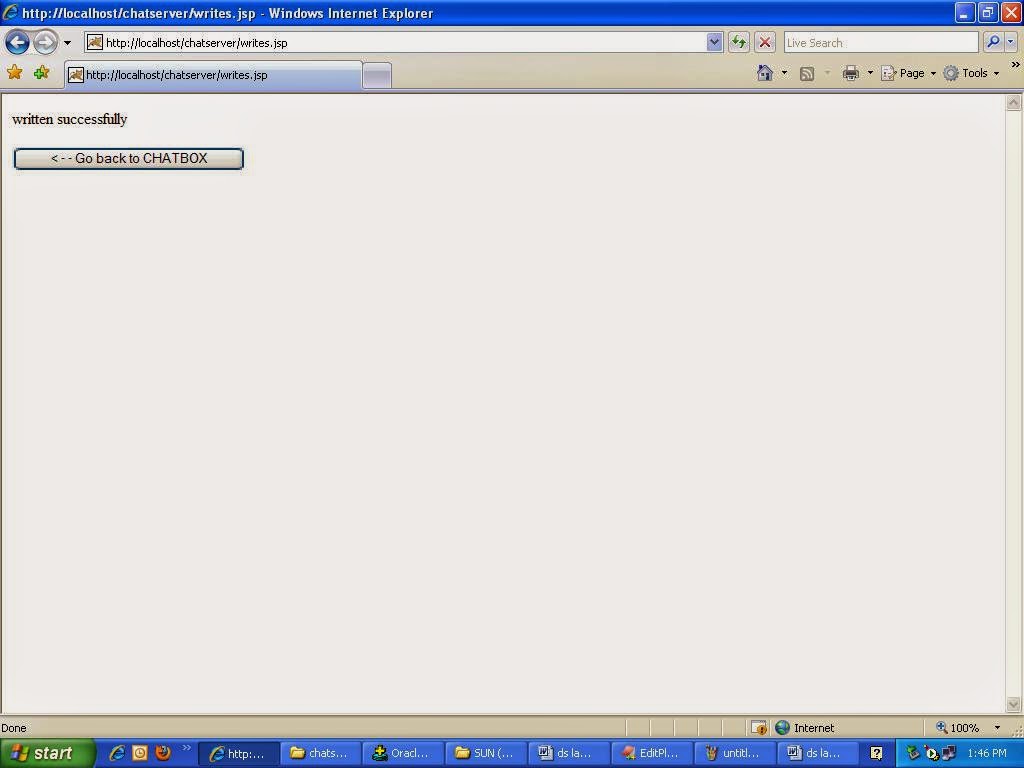
Writes.jsp:

<%@ page import="java.sql.*" %>
<%
Class.forName ("sun.jdbc.odbc.JdbcOdbcDriver");
String flag=request.getParameter("flag");
String msg=request.getParameter("msg");
String uto=request.getParameter("uto");
try
{
Connection con =DriverManager.getConnection("jdbc:odbc:server","scott","tiger");
PreparedStatement stmt=con.prepareStatement("insert into msg values('"+flag+"','"+uto+"','"+msg+"')");
int rs=stmt.executeUpdate();
if(rs  == 1)
 out.println("written successfully");
%>

<br><form method="post" action="cboxs.jsp" >
<input type="hidden" name="flag" value="<%=flag%>"/>
<input type="button" value="< - - Go back to CHATBOX" onclick="submit()"/>
            </form>
           
<%
             stmt.close();
}
catch(SQLException se)
{
%>
Database ERROR
<%
}         
%>


Output:
Procedure to create and insert values into table login:

SQL> create table login (usr varchar2(20),pass varchar2(20));

Table created.

SQL> insert into login values('abc','abc');

1 row created.

SQL> insert into login values('xyz','xyz');

1 row created.

SQL> commit;

Commit complete.
Procedure to create and insert values into table msg:
SQL> create table msg(ufrom varchar2(20),uto varchar2(20),msg varchar2(30));

Table created.

SQL> commit;

Commit complete.


Output in msg table:

SQL> select * from msg;

UFROM                UTO                  MSG
-------------------- -------------------- --------------------
abc                  xyz                  hie